Recording takes thirty minutes. Editing takes three hours. You scrub through pauses, delete filler words one by one, fix subtitles that mangled a product name, pull a fan hum out of the audio, and crop a landscape interview into a vertical clip that still frames the speaker. That ratio is why AI editing tools exist.
The useful ones do three jobs: cut (remove silences, filler, dead sections), caption (generate subtitles you can edit and style), and clean up (reduce noise, even out levels). This guide compares ten tools on those three jobs and skips text-to-video generators that create footage from a prompt rather than help you finish footage you already shot.
The tools split into three groups. Full editors (Premiere Pro, DaVinci Resolve, Filmora, Descript, CapCut) give you a timeline with AI layered in. Browser editors (VEED, Kapwing) run in a tab. Specialist tools (OpusClip, Submagic, Riverside) handle one slice of the pipeline, usually clipping or captioning, better than the generalists.
Quick Comparison
| Tool | Best for | Captions | Audio cleanup | Free plan | Starting paid price |
|---|---|---|---|---|---|
| Descript | Transcript editing | Built-in | Studio Sound | Yes | ~$16/user/mo annual |
| CapCut | Short-form speed | 20+ languages | Voice isolation | Yes | Pro ~$19.99/mo (varies) |
| VEED | Browser captions | 125+ languages | Clean Audio | Yes (watermark) | Lite ~$9/mo annual |
| Premiere Pro | Professional timelines | Auto captions | Enhance Speech | 7-day trial only | $22.99/mo annual |
| DaVinci Resolve | Free pro editing | 60+ languages (v20) | Fairlight, Voice Isolation | Yes (full, no watermark) | Studio ~$295-$325 one-time |
| OpusClip | Long-to-short clipping | On clips | Basic | Yes (watermark) | Starter $15/mo |
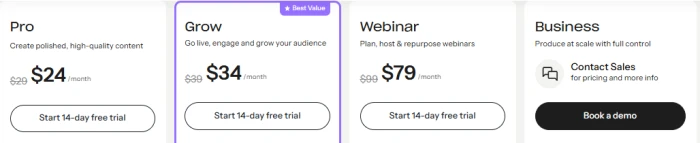
| Riverside | Interviews, podcasts | Unlimited on paid | Magic Audio | Yes (watermark) | Pro $24/mo annual |
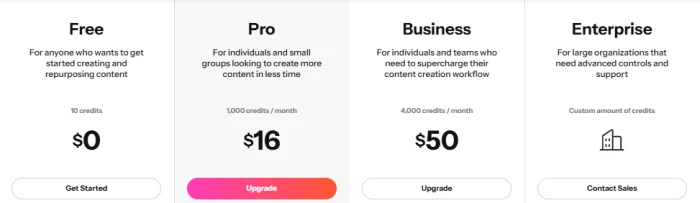
| Kapwing | Team browser editing | 70+ languages | Clean Audio | Yes (watermark) | Pro $16/mo annual |
| Submagic | Animated social captions | 48+ languages | Cleanup included | Yes (watermark) | Starter ~$12/mo annual |
| Filmora | Desktop beginners | Auto-captions | Audio denoise | Yes (watermark) | $49.99/yr or $79.99 one-time |
Pricing reflects dated 2026 sources. Vendors change plans often, so confirm on official pages before subscribing.
Best AI Video Editors Reviewed
Descript
Best for: People who would rather edit a document than a timeline.
Descript transcribes your recording, then lets you cut video by editing the text. Delete a sentence and the matching footage disappears. For interviews, podcasts, and talking heads, this collapses hours of scrubbing into minutes of reading.
Filler word removal and gap deletion work in one pass. The transcript doubles as your captions, so captioning and cutting happen together. Studio Sound cleans up and levels voice recordings without fiddling with audio filters.

Pricing

Pick Descript when your footage is mostly people talking. Skip it for motion graphics or complex multicam work.
CapCut
Best for: High-volume short-form creators.
CapCut is a full editor on mobile, desktop, and web. Auto-captions and auto-cut land in seconds, and the animated, word-by-word caption styles are built for TikTok and Reels retention. Voice isolation and one-tap reframe round out the short-form toolkit.

The free tier covers real editing: auto-captions, auto-cut, 1080p export, no watermark on most formats. That alone makes it the strongest free social editor.
Pick CapCut for fast social clips. Confirm the Pro price before subscribing.
VEED
Best for: Captioning and cleanup in a browser.
VEED runs entirely in the browser. Auto subtitles cover 125-plus languages with in-editor styling. Magic Cut removes silences and filler. Clean Audio handles noise reduction. The Lite tier ($9/mo annual) removes the watermark, allows 1080p, and includes a large subtitle allowance. Pro ($24/mo) unlocks the AI tools that differentiate VEED: Magic Cut, Clean Audio, Eye Contact correction, translation, and a brand kit.
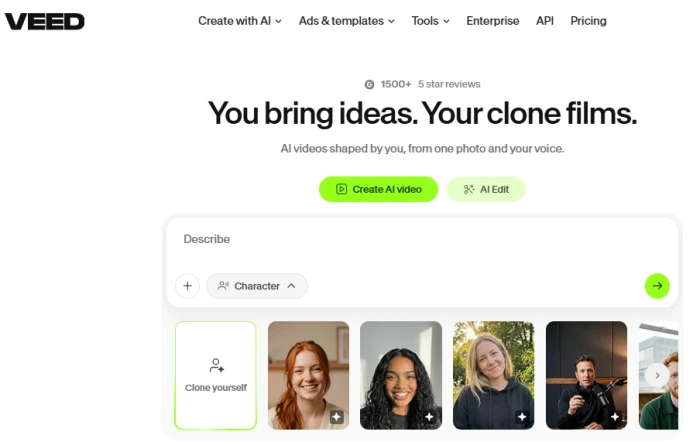
The free plan watermarks exports at 720p with no AI tools. Pro pricing is per seat, and AI credits pool monthly without rollover.
Pricing

Pick VEED when captions and cleanup are the whole job. Pay for Pro only if you need the AI tools; Lite covers clean captioned exports.
Adobe Premiere Pro
Best for: Professional work where the timeline matters.
Premiere Pro layers AI features into a deep timeline rather than replacing it. Text-Based Editing lets you cut by deleting words from an auto transcript. Auto captions generate from the same transcript. Enhance Speech targets dialogue clarity. The multicam, plugin ecosystem, and After Effects integration remain unmatched.

Pricing
| Plan | Monthly Price (USD, incl. VAT) | Free Trial |
|---|---|---|
| Firefly Standard | $12.42/month | Yes |
| Firefly Pro | $24.88/month | Yes |
| Firefly Pro Plus | $62.20/month | Yes |
| Firefly Premium | $248.84/month | No |
Pick Premiere Pro for client work, multicam, and professional finishing. If you only need captions, it is more tool and more cost than necessary.
DaVinci Resolve
Best for: Professional editing and finishing at zero cost.
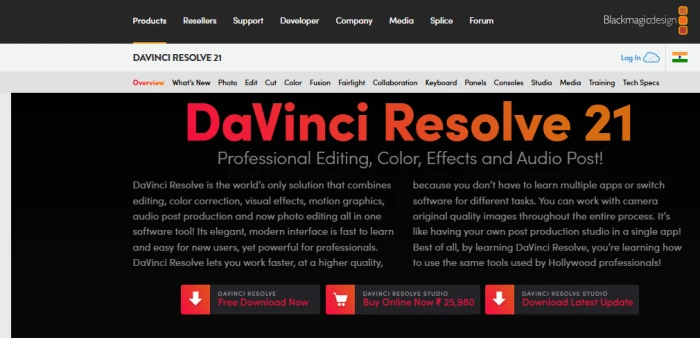
Resolve is a full post-production suite: editing, color grading, visual effects via Fusion, and Fairlight audio in one application. The free version is a professional tool, not a trial. No export watermark, resolution up to UHD.
Version 20 added transcription in 60-plus languages and AI Animated Subtitles that sync to spoken words. Voice Isolation pulls speech out of noisy recordings on the Fairlight page. The industry-reference color page runs on the same timeline.
Pricing
| Plan | Price (USD) | Pricing Type |
|---|---|---|
| DaVinci Resolve | $0 | Free forever |
| DaVinci Resolve Studio 21 | $295 (regular price) | One-time purchase |
| DaVinci Resolve Studio 21 (limited-time offer) | $236 | One-time purchase, promotional price |
Pick Resolve when budget matters and editing demands do not stop at social clips.
OpusClip
Best for: Turning one long recording into many short clips.
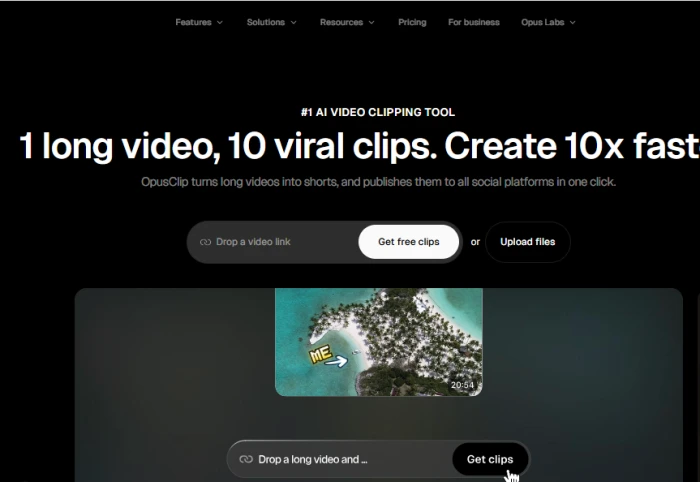
OpusClip analyzes a long video, finds the segments most likely to work as shorts, trims them, adds captions, and reframes to vertical. It is a repurposing tool, not a general editor.
Pricing

Pick OpusClip for long-to-short repurposing. Pair it with a real editor.
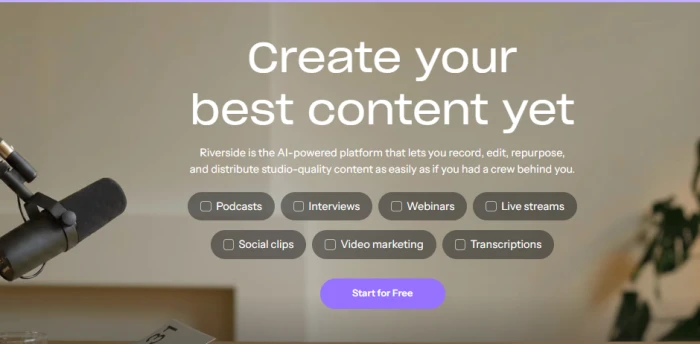
Riverside
Best for: Recording and editing interviews in one place.
Riverside records remote guests in high quality and edits the result with transcript-based tools, so an interview goes from capture to captioned clip without changing tools. Paid plans include unlimited transcription and a 14-day free trial. Magic Audio cleans up recorded voices. Magic Clips generates shorts from long recordings.
Pricing
Pick Riverside when you also record the conversation. Less relevant for editing imported footage.
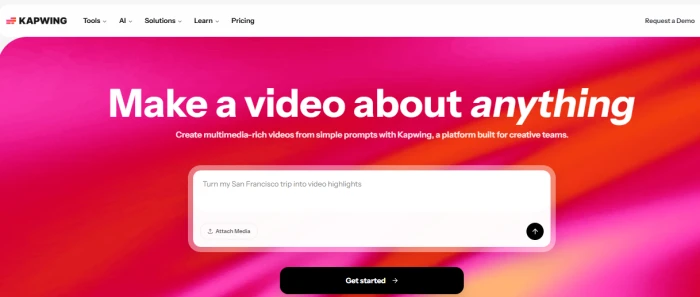
Kapwing
Best for: Teams editing in a browser.
Kapwing is a collaborative browser editor with strong auto-subtitles (70+ languages) and Smart Cut for silence removal. Shared workspaces make it a fit for remote marketing teams.
Pricing
Pick Kapwing for team collaboration and subtitling. Watch the per-seat math.
Submagic
Best for: Bold, animated captions on short-form video.
Submagic specializes in the animated, word-by-word captions common on TikTok and Reels: highlighted keywords, emoji overlays, and trending styles. Magic Cut removes silences and filler. Audio cleanup, B-roll insertion, and caption translation sit on higher tiers.

Pricing

Pick Submagic when caption styling is the priority. For anything beyond captioning, pair it with a full editor.
Filmora
Best for: Beginners wanting a desktop timeline without a subscription.
Filmora sits between free basic editors and professional suites. The timeline is approachable, auto-captions and audio denoise work out of the box, and Smart Short Clips generates shorts from long video. A growing set of AI features (smart cutout, background removal, AI copilot) rounds things out.
Pricing

Pick Filmora for a gentle on-ramp to desktop editing. Power users will outgrow it.
Which Editor Wins Each Task?
Removing silence and filler words: Descript. Editing the transcript and deleting filler in one pass is the fastest route. Submagic and VEED’s Magic Cut are strong for short clips.
Accurate automatic captions: VEED for language breadth. Premiere Pro and DaVinci Resolve for professional work with frame-accurate control. Every tool still requires a human review pass.
Cleaning noisy recordings: DaVinci Resolve’s Voice Isolation (free) and Adobe’s Enhance Speech target dialogue directly. Descript’s Studio Sound is the simplest one-click option.
Long video to short clips: OpusClip, built for exactly this.
YouTube editing: DaVinci Resolve for free professional control; Filmora for an easier desktop timeline.
TikTok, Reels, Shorts: CapCut for speed; Submagic for caption styling.
Interviews and podcasts: Riverside for recording plus editing; Descript for existing recordings.
Professional timeline editing: Premiere Pro for the ecosystem; DaVinci Resolve for value.
Best free option: DaVinci Resolve. Full suite, no watermark.
Beginners: Filmora on desktop; CapCut on mobile and web.
Teams: Kapwing for collaboration; VEED for captioning at scale.
Free vs Paid
The gap is not about features alone. It is about which limit hits first.
Watermarks: Kapwing, Submagic, OpusClip, VEED, and Filmora watermark-free exports. DaVinci Resolve and CapCut do not. Resolution: VEED free caps at 720p; DaVinci free runs to UHD. Caption minutes: Kapwing free dropped to 10 minutes in September 2026. Credits: Descript, CapCut, and Filmora meter AI features with credits beyond the subscription price.
A paid plan becomes worthwhile the moment a watermark, resolution cap, or caption limit blocks the video you need to publish.
How to Choose
Match the tool to the job. Transcript editing for spoken-word content: Descript or Riverside. Daily vertical clips: CapCut or Submagic. Client delivery and grading: Premiere Pro or DaVinci Resolve.
Then weigh budget (Resolve is free; Studio is one-time), device (browser tools run anywhere; Premiere and Resolve need a capable machine), video length (short-form tools cap length; long interviews need Descript or a desktop editor), and output platform (vertical social favors specialists; varied output favors a full editor).
Pick the simplest tool that clears your hardest requirement. Upgrade when a real limit stops you.
Final Verdict
Choose likewise
For social clips: CapCut and Submagic.
For transcript editing: Descript, with Riverside when you also record.
For audio cleanup: DaVinci Resolve (free) and Premiere Pro’s Enhance Speech.
For professional production: Premiere Pro for the ecosystem, DaVinci Resolve for value.
For a tight budget: DaVinci Resolve, a full editor at no cost with a one-time Studio upgrade.