
Parakeet AI
Real-time AI answers for job interviews
What is Parakeet AI?
Job seekers use Parakeet AI when they want discreet, context-aware prompts during live remote interviews rather than a general-purpose practice chatbot.
How Parakeet joins the interview
Parakeet AI listens to a remote interview, identifies questions and drafts answers while the conversation is happening. Before a call, you can provide details such as your resume and the target role so its suggestions reflect your background instead of sounding entirely generic. It is designed to run alongside common meeting platforms without joining as a visible meeting participant. The generated response appears as text, leaving you to adapt it and speak naturally.
- Best fit: structured behavioral and role-specific questions
- Setup: add personal and job context before the call
- Billing: access is tied to interview credits or packages
Where judgment still matters
The assistant is useful when you need a quick structure for an unexpected question, but reading its output word for word can sound unnatural. Response quality depends on clear audio, accurate question detection and the context supplied beforehand. There can also be a delay between the interviewer finishing and a complete answer appearing. Employers may prohibit outside assistance during assessments, so candidates need to understand the rules before using it. Since credits are consumed by interview use, repeated practice sessions can also make costs less predictable than a flat subscription.
Parakeet AI Hands-On Testing Steps
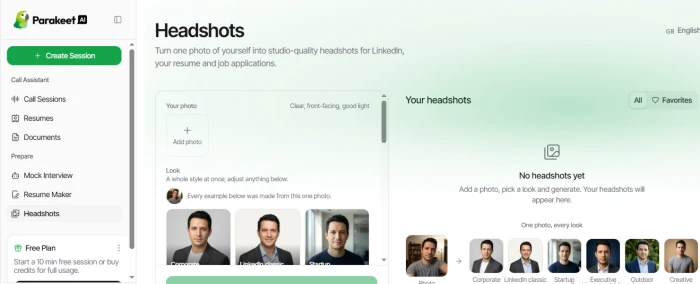
Step 1: Explore the Headshots feature. The Headshots section allows users to upload a photo and create professional-looking headshots in different styles. Available looks include Corporate, LinkedIn Classic, Startup, Executive, Outdoor, and Creative.
Testing step:
Upload a clear, front-facing photo and select a preferred headshot style to generate a professional profile image.
Step 2: Review Call Sessions
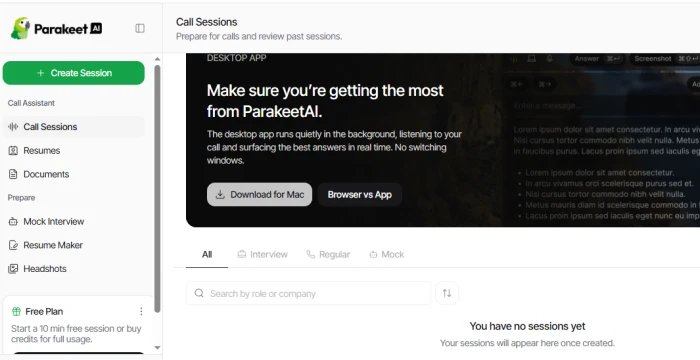
The Call Sessions section provides a workspace for preparing and reviewing interview or call sessions. It also offers a desktop app that can run in the background and provide answers during calls.
Testing step:
Open Call Sessions to review available session types and explore the options for preparing or managing interview calls.
Step 3: Add a Resume
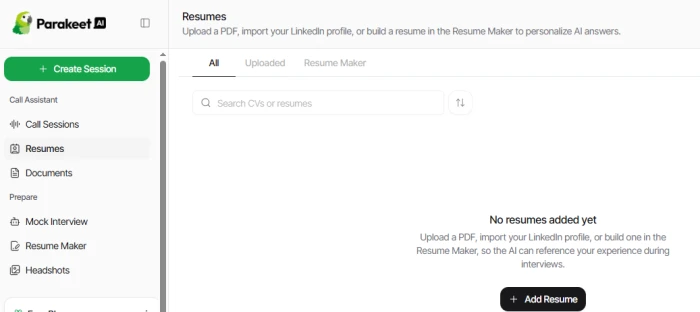
The Resumes section allows users to upload a PDF resume, import a LinkedIn profile, or create a resume using Resume Maker. The uploaded resume can then be used as a reference during interviews.
Testing step:
Add a resume through the upload option so the tool can use the candidate's experience and qualifications during interview preparation.
Step 4: Create a Mock Interview
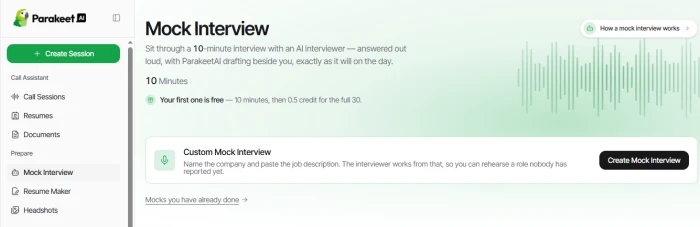
The Mock Interview section provides a 10-minute interview practice session with an AI interviewer. Users can also create a custom interview based on a specific company and job description.
Testing step:
Select Create Mock Interview and provide the relevant job description. The interview can then be used to practice questions based on the target role.
Step 5: Review the available interview practice
The Mock Interview page also shows previously completed mock interviews, making it possible to return to earlier practice sessions and review them.
Testing flow:
Resume → Mock Interview → Add job description → Practice interview → Review the session.
Highlights & limitations
- Suggestions arrive during the conversation, reducing the need to search notes while speaking.
- Adding resume and job context produces answers that are more relevant to the specific role.
- The assistant stays outside the attendee list, avoiding an extra bot inside the meeting room.
- Generated answers can sound generic or overly polished unless they are quickly rewritten in your own voice.
- Audio recognition and response latency can leave too little time to use a suggestion naturally.
- Using live assistance may violate an employer's interview or assessment rules.
Used it? Share your experience — it helps the next person decide.