Notion AI
Workspace AI for notes, search, and drafting
What is Notion AI?
Notion AI works inside Notion to find information, shape rough notes, and produce useful summaries. It is particularly effective when a team already keeps its projects and knowledge in well-organized pages.
How it fits into Notion
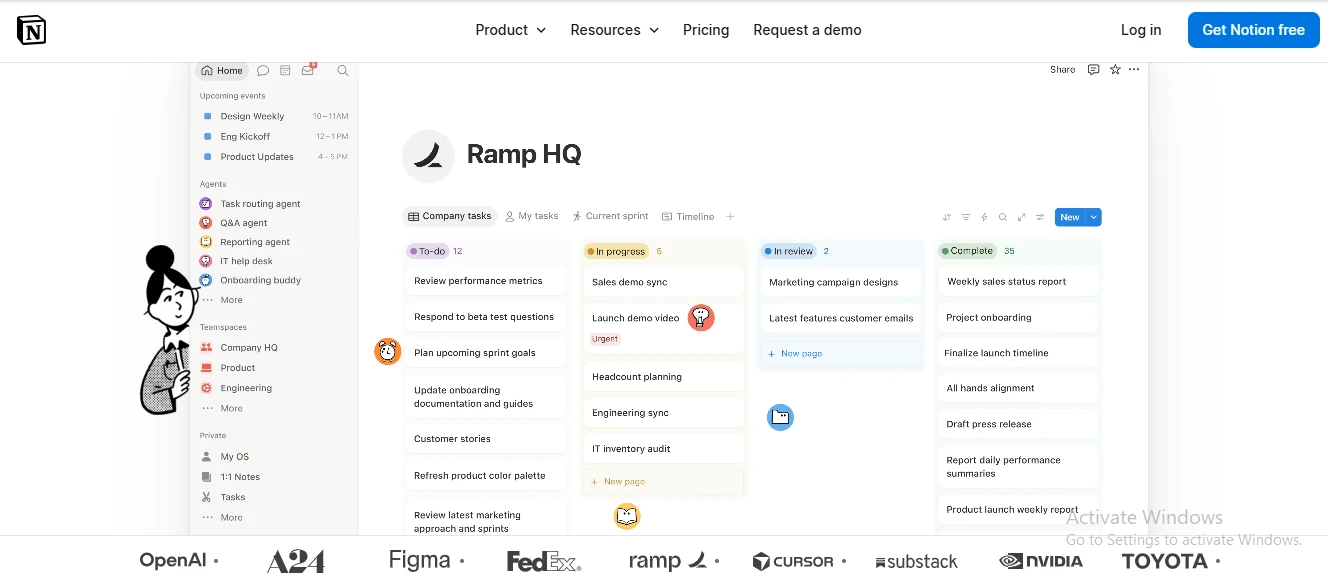
Notion AI is most useful when the material it needs already lives in your workspace. It can answer questions from pages, summarize long project records, rewrite selected blocks, and generate first drafts without making you copy context into a separate chat. Responses can point back to source pages, which makes internal search more practical than a general-purpose chatbot. It also works with databases and, on supported plans, can search connected services such as Slack and Google Drive.
- Strongest use: turning scattered team knowledge into quick answers.
- Setup reality: clean pages and sensible permissions improve results.
- Output quality: solid for summaries and drafts, less dependable for nuanced facts.
The cost and trade-off
AI access is tied to Notion’s workspace plans rather than sold as a standalone assistant. Limited trial usage may appear on lower tiers, while ongoing access to the full feature set is bundled with Business and included in Enterprise arrangements. That suits teams already committed to Notion but is harder to justify if you only need an AI writer. Confident errors remain possible, so cited workspace answers still need checking. Empty or poorly maintained workspaces also leave the assistant with little useful context.
Highlights & limitations
- Inline prompts make it quick to improve a rough page or selected block.
- Source links give internal search answers a useful verification path.
- The controls feel native to Notion rather than added as a separate chatbot.
- It handles practical work across wikis, project trackers, meeting records, and databases.
- Teams can use shared workspace context without repeatedly pasting background into prompts.
- Full ongoing access can require a Business plan, which is expensive for occasional AI use.
- Results deteriorate when pages are outdated, inconsistently named, or scattered across private spaces.
- Generated prose can sound generic, and factual answers still require human review.
Notion AI in pictures
Used it? Share your experience — it helps the next person decide.